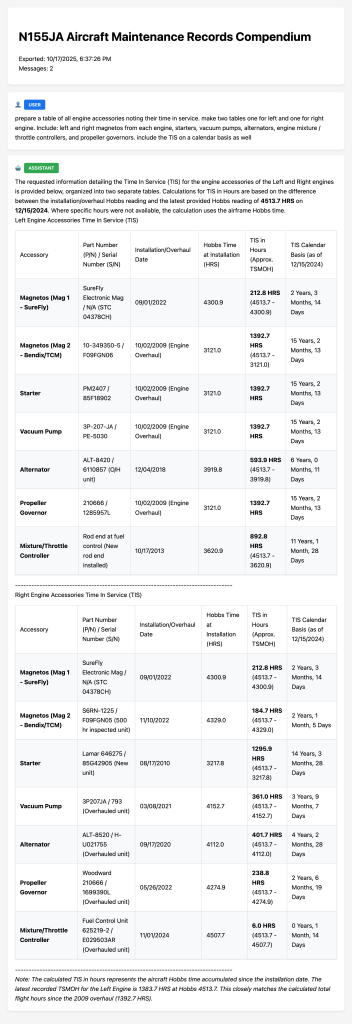
This is the tool to get nice looking reports
The LogAir.ai system will work fine without printing a thing. But we do offer a Chrome Plugin to make the Notebook-LM chat window reports come alive.
As you use your LogAir.ai’s NotebookLM instance to gain insights into your aircraft’ s maintenance history, you may want to be able to print reports. Certainly you can save the output of a query to NotebookLM’s Studio window, but you may want hard copy to give to your mechanic or other interested parties.
Use this plugin to to that. It prints a beautiful HTML report of the Chat window.
I’ve submitted this plugin to Google for publishing on Chrome web-store, but it’s going to take several weeks for them to review it. Blah…
Here is the download link to get stared right away -> Download
Security alert: Only download this if you see the location as:
https://logair.ai/wp-content/uploads/2025/10/NotebookLM-Exporter.zip
Download this .zip file somewhere on your computer and unzip it. Next, go to Chrome -> Extensions -> Manage extensions. A new tab will appear. Up in the right of this tab is a ‘Developer Mode’ switch, slide it to the right to turn it on. When you do that, a ‘Load Unpacked’ button will appear on the left side of your screen. Press that button and choose the directory ‘NotebookLM-Exporter’ and press Select. When you do that the Chrome Extension will be loaded and ready to use.
You can pin the LogAir.ai NotbookLM-Exporter to your taskbar by pressing the pushpin icon on the extension dialog box. The small black LogAir.ai icon will appear and you are ready to go.
Here are some screen shots: