
We know AIs are getting better and better at producing meaningful results. What if AI could construct a simple Maintenance Tracker spreadsheet from your data? That would certainly save some time.
Well with the LogAir.ai system and a little bit of AI know how you can do this easily.
First let’s ask NotebookLM, charged with your aircraft data, to give us the data needed to build a spread sheet. NotebookLM will know the recurring maintenance items and their Time In Service (TIS). It will also know recurring items like recurring ADs. To put this together we’ll ask the AI to output everything we need to build a spreadsheet. We ask this in JSON format — JavaScript Object Notation — a format well known to both AI systems and spreadsheet programs. Here’s the prompt:
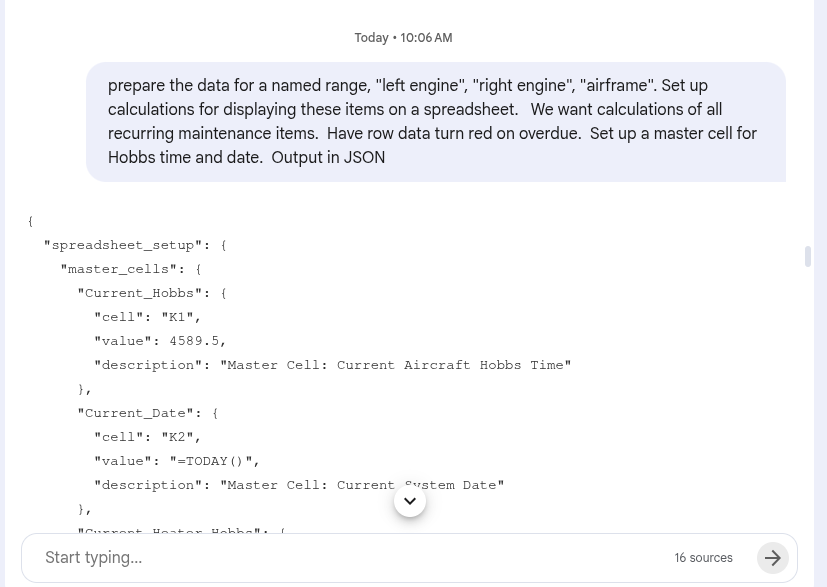
Ok a slight twist now. One would hope you could go right to Gemini and ask it to make a spreadsheet. The only issue, Gemini doesn’t yet know how to make a spreadsheet. Oh well, let’s try OpenAI. Guess what? OpenAI will happily create and output a downloadable .xlsx file. It pays to shop around.
EDIT: One of the I love about the AI movement is the constant improvement. Gemini can now export all Microsoft file formats. It makes the job even easier…
Ok so I paste my JSON data into the chat window of an OpenAI and ask for a spreadsheet to track aircraft maintenance. I asked for a set of cells in the upper left hand portion of the spreadsheet to enter the Hobbs time and date. It knows how to handle the items either by Hobbs time or calendar time.
Click for larger
OpenAI took a few minutes to return this file. Quite frankly, I am amazed at how good a job it did constructing the spreadsheet. The machine knows the difference between calendar time maintenance and operational hours (Hobbs) maintenance. The due soon feature is a nice touch. I didn’t ask for that. It would have taken me several hours by hand.
Now that you understand the process, it’s an easy matter to revise the resulting spreadsheet by prompting the NotebookLM model or OpenAI.
Let me know if you find this helpful…
–paul